-
最新公告
- 2026年開春客戶回饋活動 2026-02-27
- 關(guān)于SSL證書簽發(fā)時(shí)長調(diào)整公告 2026-02-25
- 春節(jié)放假通知 2026-02-12
- 異常流量清洗服務(wù)正式上線! 2026-01-23
- 充值預(yù)付款
- 幫助中心
- 提交工單
- 備案
- 身份識別碼:
- 消息中心()


























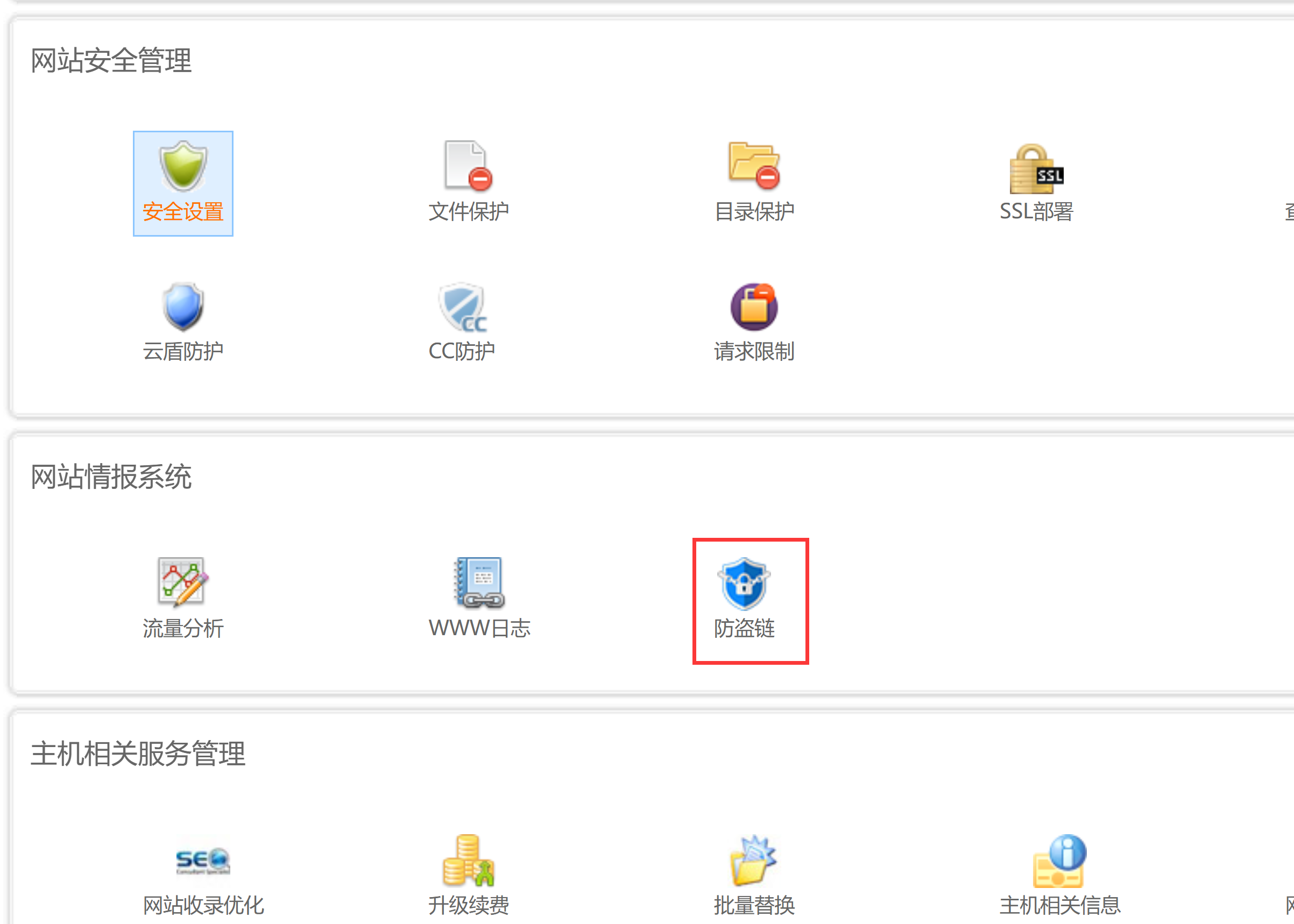
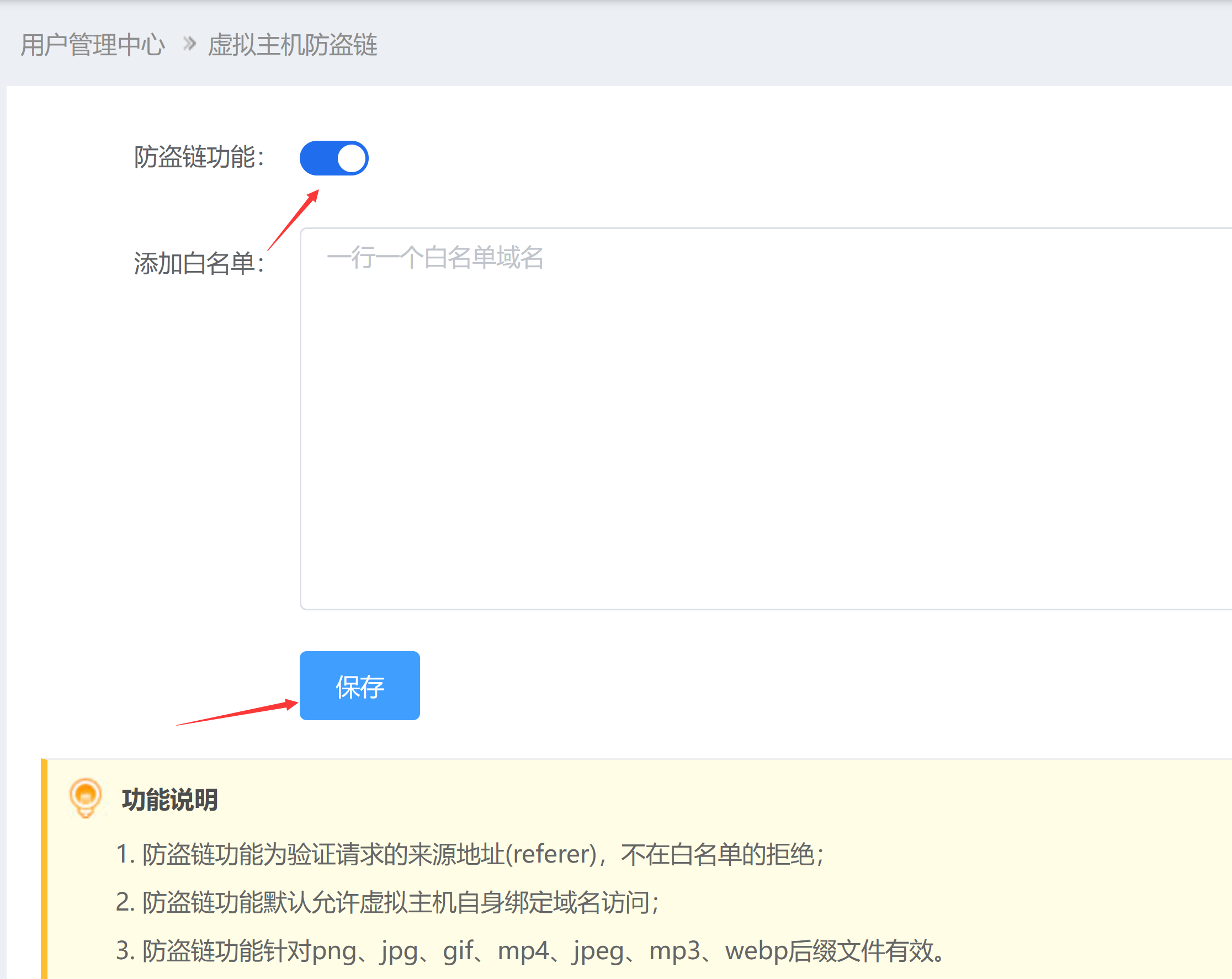
apache、iis規(guī)則設(shè)置防盜鏈
apache、iis屏蔽限制ip訪問(適用虛擬主機(jī)) 請參照工單,根據(jù)實(shí)際情況設(shè)置。 |
|
上一篇:[原創(chuàng)]企業(yè)云郵解析方法
下一篇:[原創(chuàng)]取消Ubuntu系統(tǒng)意外關(guān)機(jī)后停留在GRUB界面的解決辦法 |

- 公司概況 公司文化 榮譽(yù)資質(zhì) 最新公告
- 域名注冊 刺猬建站 定制建站 企業(yè)郵箱 虛擬主機(jī) SSL證書
- 企業(yè)上網(wǎng)解決方案 企業(yè)溝通解決方案 企業(yè)云辦公解決方案 網(wǎng)絡(luò)安全解決方案 數(shù)字化解決方案 外貿(mào)營銷解決方案
- 購物流程 充值預(yù)付款 幫助中心 提交工單 聯(lián)系客服
- 虛擬主機(jī)控制面板 35備案系統(tǒng)
-
業(yè)務(wù)咨詢熱線:
400-135-3511
售后服務(wù)電話:
021-63305889
域名濫用投訴:
domainabuse@35.cn

 關(guān)注我們



 咨詢
咨詢
 售后
售后
 電話
電話
 工單
工單